Read time: 3 Min
EML is an email file format that stores a single message from your mailbox. However, you may face difficulties when trying to open it without installing Microsoft Outlook. If you don’t have Outlook or simply want to open EML files without using any email application, you may need to look for alternative solutions.
In this guide, we will talk about the easy and secure solution to open EML files without Outlook. By the end, you will effortlessly view your EML file data without any dependency.
Need to Open EML Files Without Outlook
There are various reasons why a user wants to open EML file data without using Outlook or other email clients. Some of the common one includes;
- Outlook comes with a paid Office 365 subscription; thus, most of the users don’t have Outlook installed in their suite.
- When you need to access your EML files, and there is no Outlook in your system.
- EML files are supported by multiple applications, making it easier to open them on different operating systems without Outlook.
- If the user wants to open EML files in other platforms without using Outlook.
Manual Solutions to View EML Files Without Outlook
Here in this section, we will discuss the different ways to view EML file data without using the Outlook application. Here are the methods.
1. Open EML File Using Browser
You can use any browser to open a single EML file, but it will open a single email file at a time.
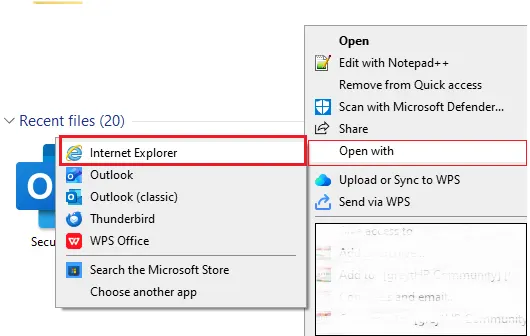
- Locate the EML file on your system
- Right-click on the file
- Choose Open With
- Select Chrome or any other browser.
2. Use Thunderbird to Open EML File
If you want to open EML file without Outlook, then you can use the free email client, i.e., Thunderbird. Here are the steps,
- Open Thunderbird and your email account with it.
- Now drag and drop the EML files into the TBird interface.
- After that, you can view EML files without Outlook installation.
3. Print EML to PDF
To view EML files without Outlook, you can save EML to PDF format. After that, you don’t need Outlook to open the data file. Here are the steps;
- First, open the EML file in the browser mentioned in the first part.
- Press Ctrl + P, and a window will pop up.
- As a destination, choose the Microsoft Print to PDF option.
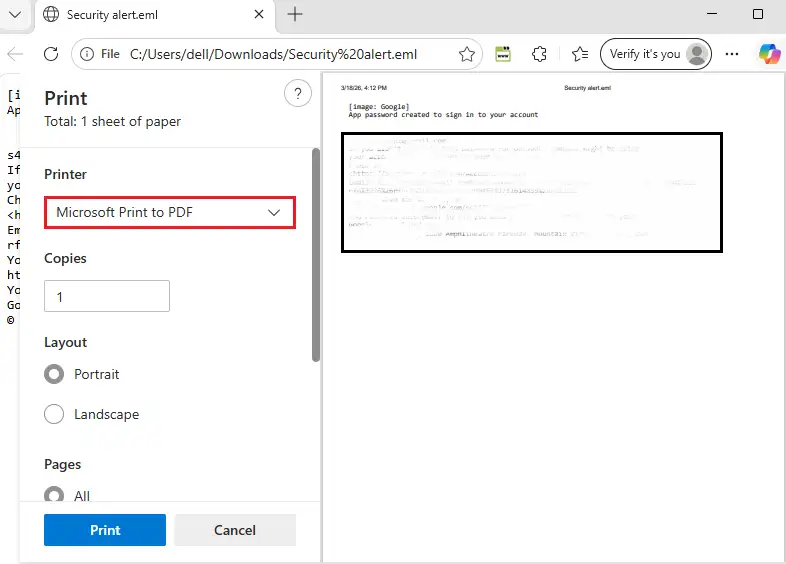
Lastly, click Save and browse the saving location.
4. Open EML File in Notepad
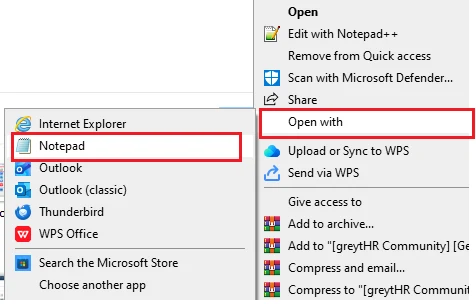
- Right-click the EML file
- Select Open With → Notepad
Here are the manual solutions to open EML file data without using Outlook. However, there are a few limitations with this solution.
- High risk of data loss when trying to process multiple EML files.
- You can view a single EML file at a time.
- Attachments may not open properly.
- While opening an email, formatting must be disrupted.
Instant Solution to Open EML Files without Outlook
BLR EML Converter is an efficient way to view your EML file data in a few simple clicks. With this eml converter tool, you can export EML to DOC, CSV, TXT, HTML, and RTF files. After conversion, you can easily open the file without any email client.

Most importantly, while converting emails, the tool maintains the formatting and integrity of the data. Additionally, it also gives the option to convert EML to PST, MBOX, MSG, and other file formats. Try out the demo version of the software to know how it works,
Conclusion
Opening EML files without Outlook is easy for users who are aware of the process. Here we mention different solutions to make the process easy for you. Whether you choose a browser, Thunderbird, or the tool, it solely depends on your needs. Hope you are now able to read EML files without Outlook and access your data with ease.