Read time: 3 Min
EML is a commonly used file format that is supported by a number of email clients. An EML file stores individual emails along with metadata separately for each email. The EML format is supported by Thunderbird, Apple Mail, Windows Live Mail, etc. EML files lacks flexibility of editing and sharing, thus user converts EML files to a flexible format like Doc that can be accessed on any device. Thus, used convert EML to Doc format for easily managing emails in a professional way. Let us learn the best methods to convert EML to Doc format, but first, let us know the reasons that prompt users to export EML to Doc format.
Why Users Convert EML Files to Doc?
Here are the various reasons why users choose to save an EML file to the Doc format:
- A doc file can be opened with many applications across different platforms.
- EML files are not editable; saving them to Doc format allows users to edit content, add comments, or format the content.
- Doc files are print-friendly, user can easily print doc files.
- We can password-protect a Doc file for security purposes.
- In addition, Doc files can be password-protected and easily printed.
How to Convert EML to DOC Format?
There are two different methods to convert EML to Doc format and access them in MS Word. The first one is a manual method, which is free, and the second one is using a professional tool. Let us discuss both methods in detail.
Manually Convert EML to Doc Online Free
The manual method for EML to Doc conversion can be divided into two parts. Follow the steps mentioned below carefully:
Step 1: Access the EML File in MS Word
- First of all, navigate to the location where the EML file is located.
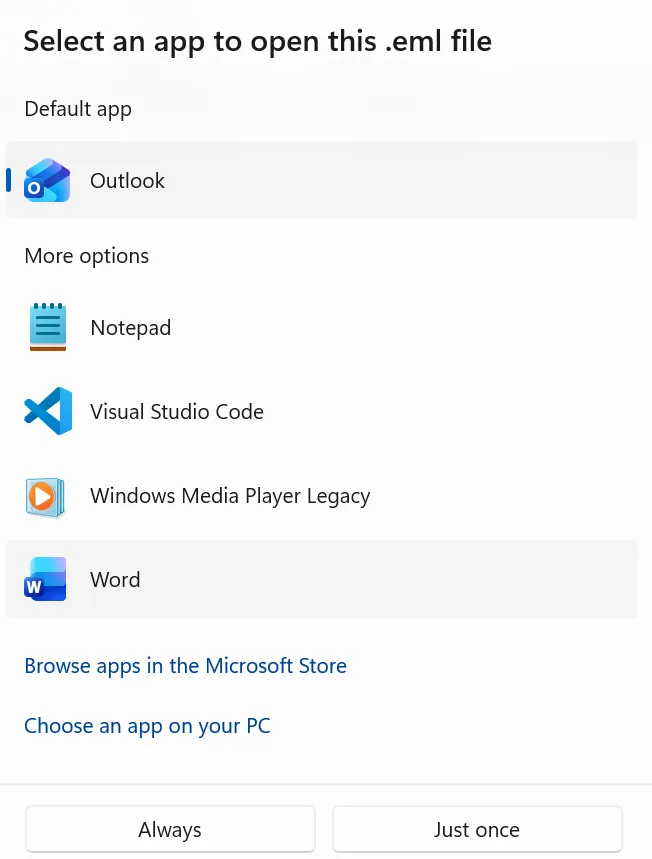
- Right-click on the EML file and select Open With from the options available.
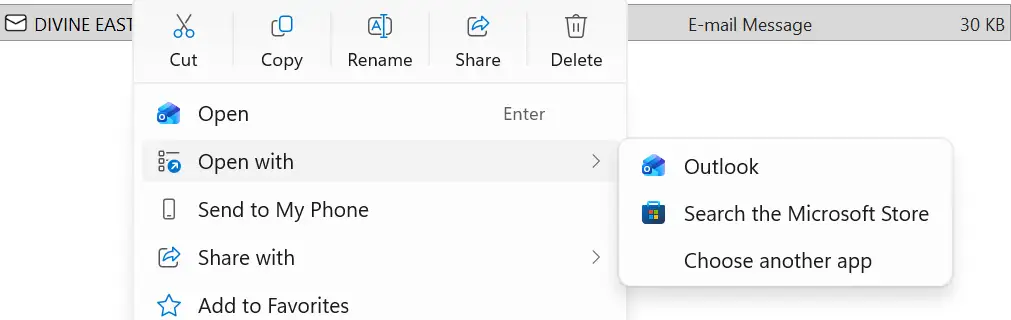
- Choose Another App > More Applications and Select MS Word.
Step 2: Convert the EML file to DOC in MS Word
- Now the EML file is opened in MS Word.
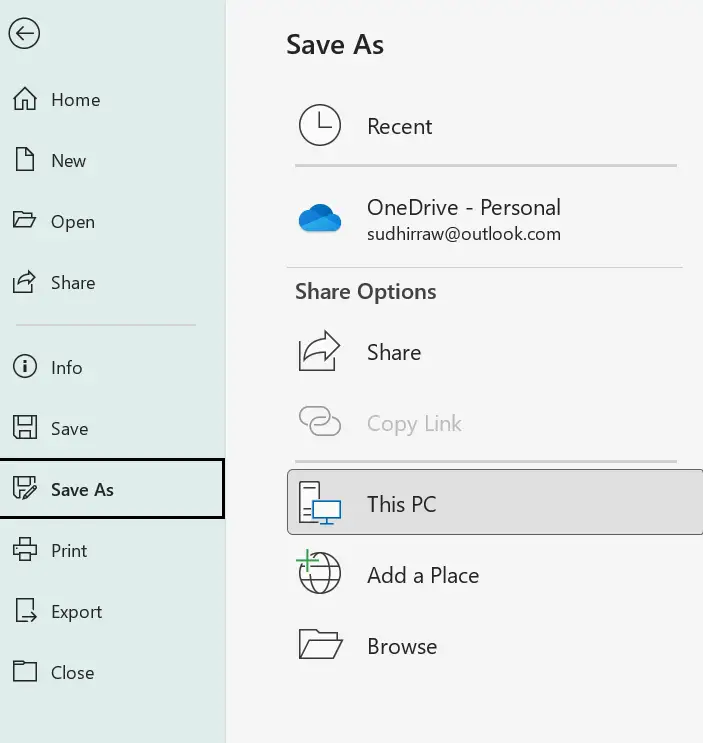
- Click on File, select the Save As option.
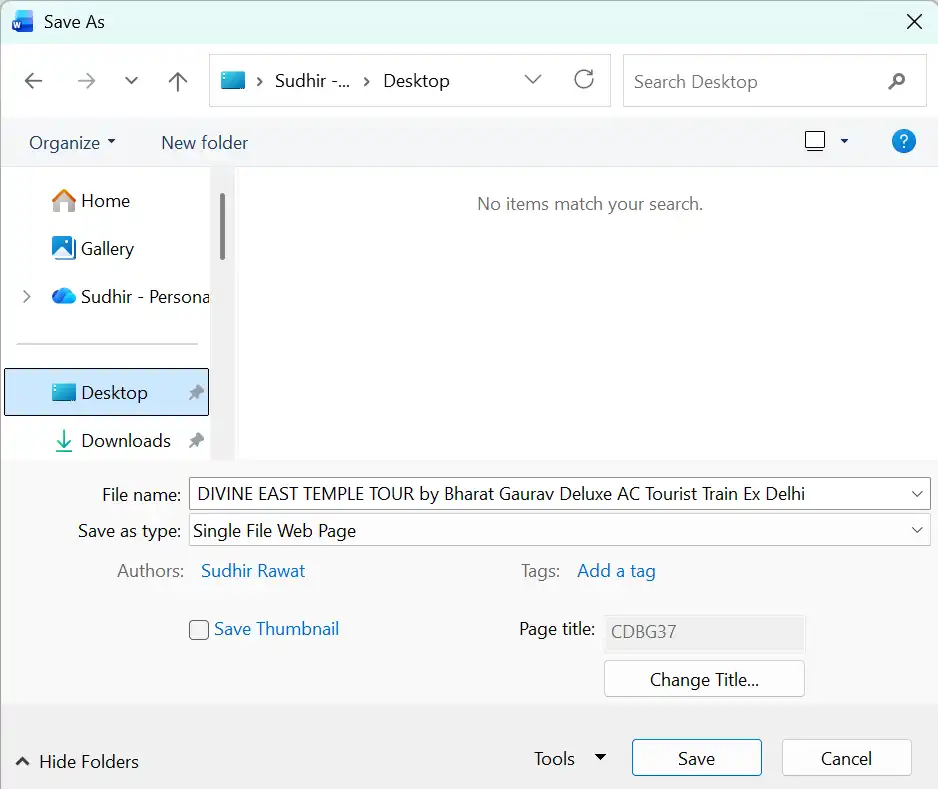
- Choose the .doc format from the list.
- Save to the desired location.
Professional Tool to Convert EML to DOC
The manual method to convert EML to Doc is free, but it requires a lot of time, as users have to manually convert each email one by one. To avoid this hectic process, you can use an automated EML Converter. BLR EML Converter is one such solution that is completely safe to convert EML to the Doc format. This advanced EML converter software can export EML files to Doc format, maintaining original formatting and properties intact. It allows users to convert EML files to Doc format in bulk, thus saving a lot of user time.

Additionally, if you want to migrate your EML files, then with this tool you can also import EML to Office 365, Gmail, Yahoo Mail, and many other webmail accounts. For the full working process, try out the demo version of the software.
Conclusion
Users convert EML files to Doc format for multiple advantages, like better readability, sharing, easy editing, and universal accessibility. Doc format makes email data more flexible and user-friendly. We have shared simple methods to convert EML to Doc format, which can be performed easily even by a user with very little technical knowledge. The manual methods have some limitations, like it doesn’t allow bulk conversion, which can be fixed by using a professional EML converter.