Most of the time, Mac Outlook users save their mailbox data into OLM files. However, when you plan to switch to cloud platforms, you often need to migrate OLM to Office 365. The challenge is that Microsoft 365 does not provide a direct option to upload OLM files.
If you are searching for a reliable way to import OLM emails, contacts, and calendars into Office 365, this guide will walk you through the complete migration process. To solve your issue, in this blog, we will discuss the two workable solutions to migrate OLM to Office 365 mailbox. Before that, let’s check out the reasons for the migration.
Why Import OLM to Office 365 Account?
Importing OLM file data into Office 365 can have various benefits. The most common scenario includes:
- Access anywhere: After importing OLM emails into Microsoft 365, it is easy to access them on any system with an internet connection.
- Cloud storage: All Office 365 mailbox data is stored on a cloud server, which provides an extra layer of security. After importing the OLM file data, you can secure your important emails.
- Better collaboration: With Office 365 subscription, there are various products that can be used by you. You can share your emails via Share calendars, meetings, and resources with teams easily.
- Advanced security: Get built-in protection, encryption, and compliance features with Office 365. Therefore, most of the users prefer to upload OLM file to Office 365 mailbox.
- Centralized management: Managing multiple OLM files at once can be challenging. Therefore, importing the OLM file you can access them in a single admin panel.
Because OLM files are not supported directly in Office 365, you need to use a proper method to complete the OLM to Offic e365 migration. Let’s find out the best one.
Manual Method to Import OLM File to Office 365 Account?
If you are looking for a manual solution, then you need a Mac system with Outlook installed on it. Here are the instructions for OLM to Office 365 migration.
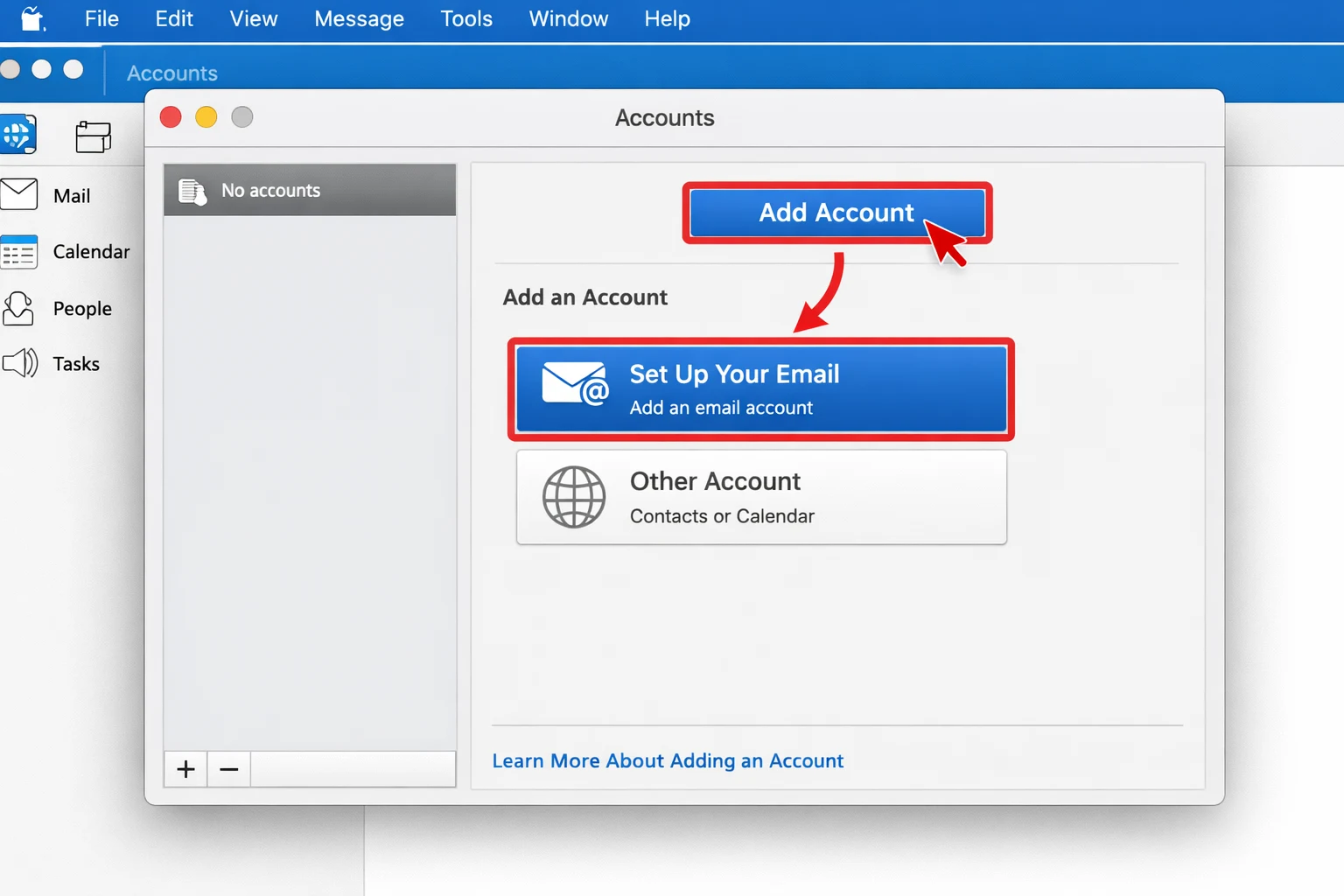
- Open Outlook for Mac and go to Tools → Accounts.
- Click “Add Account” and choose the “Set Up Your Email” option.
- Enter your Microsoft 365 email address and click Continue.
- Type your username, password, and IMAP server details.
- Enter the correct port number and click Add Account.
- After setup, go to the File menu and click Import.
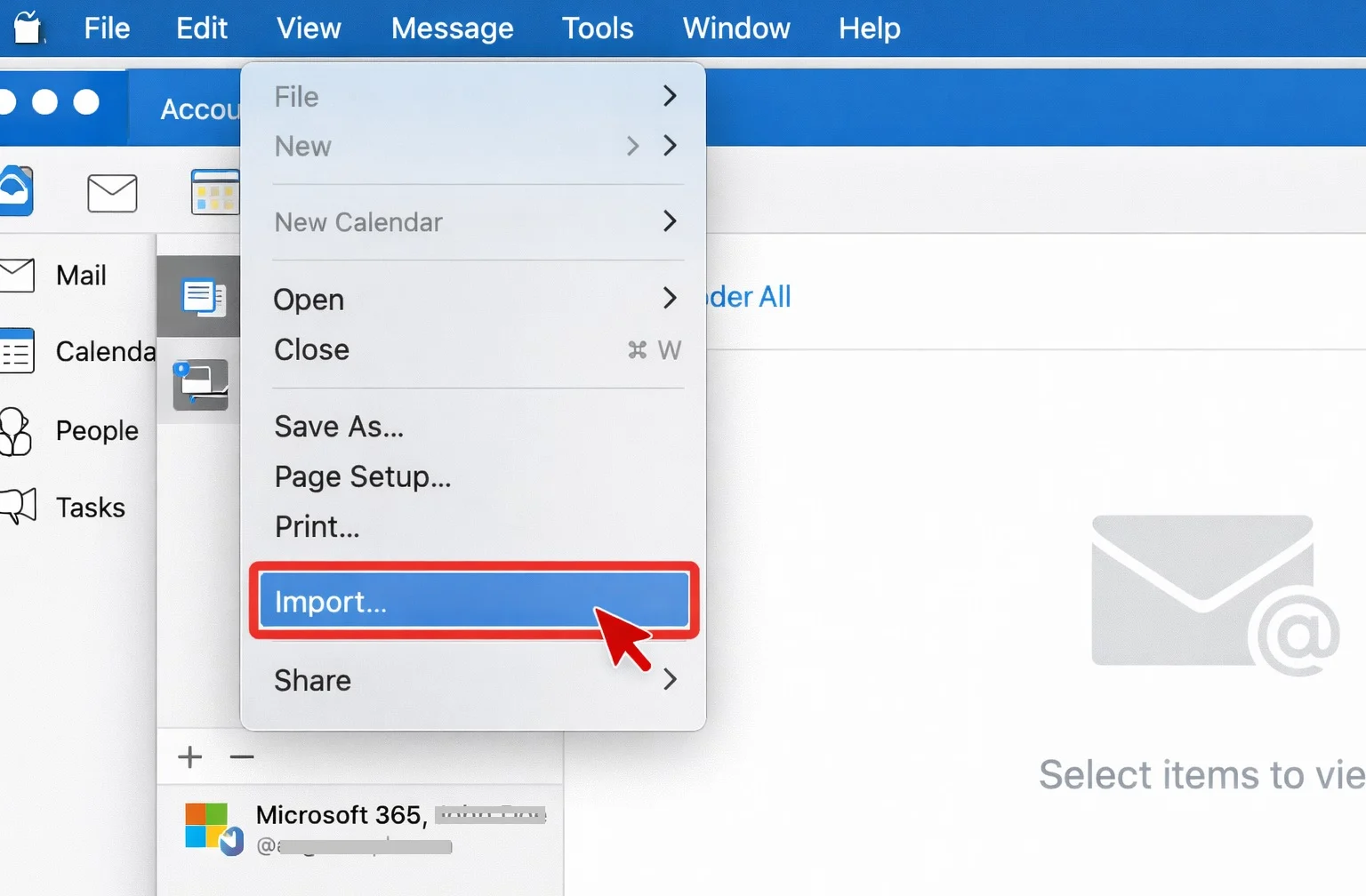
- Select the Outlook for Mac OLM file and press Continue.
- Browse and choose the OLM file.
- Click Import to upload the data into your Office 365 mailbox.
Here are the manual steps to import OLM emails into Microsoft 365 mailbox. However, you may encounter some setbacks.
- You can’t choose the email folder for selective migration.
- Need technical knowledge for account configuration.
- If the OLM file is corrupted or damaged, then the manual method will not work.
Instant Solution to Import OLM to Office 365 Account
If you want to upload OLM emails and other data from OLM file into Office 365 mailbox directly, then you can use the BLR OLM Converter tool. The software instantly imports OLM file data in a few simple clicks. You can use this tool on all Windows OS without any hassle.
Additionally, using this tool, you can also convert OLM to PST, PDF, CSV, and many other file formats. While importing emails, this tool maintains folder hierarchy and formatting. Download the free version of this tool to analyse how it works.

Conclusion
Importing OLM to Office 365 mailbox efficiently, you need a method that preserves your emails’ key elements and attributes. Although the manual solution is free, it comes with several limitations, especially when you try to import a large file. An OLM to Office 365 migration tool offers a direct, quick, and error-free way to transfer emails, attachments, contacts, etc., from OLM to Microsoft 365 without any hassle.