Read time: 3 Min
An OST file is an offline copy of the user’s mailbox data; it can be accessed only with the Outlook profile that was used to create it. The user can access emails even when the Exchange Server connection is not available with the help of OST file. The changes made to the file during the period are later synchronized when the Exchange Server connection is available. When a user migrates from an Outlook environment to a free email service like Yahoo Mail and wants to access old emails stored in an OST file, then the need to import OST to Yahoo Mail arises. To learn the easy method to access OST emails in Yahoo Mail account, follow the instructions mentioned below.
Access OST Emails in Yahoo Mail – Manual Method
In the manual method, the contents of OST file are first saved to PST format, and then this PST file can be accessed with Yahoo Mail. This method requires access to the Outlook profile; if the original Outlook profile is not available, you have to use an automated tool suggested in the next section.
Step 1: Export PST File
- Open MS Outlook.
- Click File > Import & Export > Import/Export.
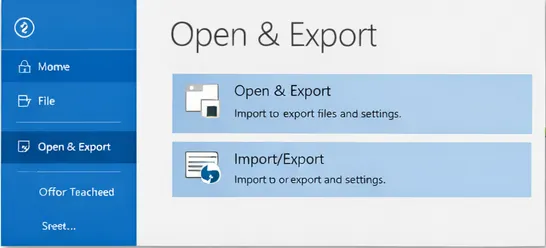
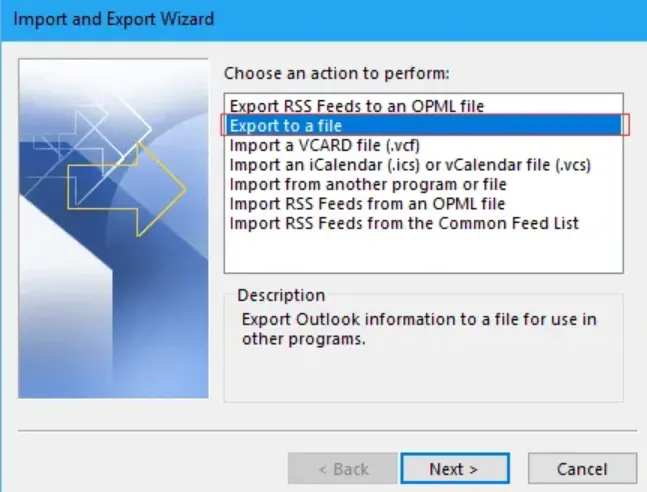
- Now select Export to a file > Outlook Data File (.pst) from available options.
- In the next step, select the folders you want to export.
- Now select the location where you want to save PST file.
Step 2: Set up Yahoo Mail with Outlook
- Open Outlook again.
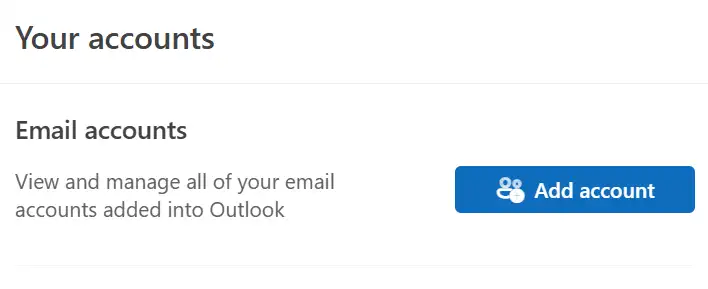
- Go to File > Account Info > Add Account.
- Enter your Yahoo email address and click Connect.
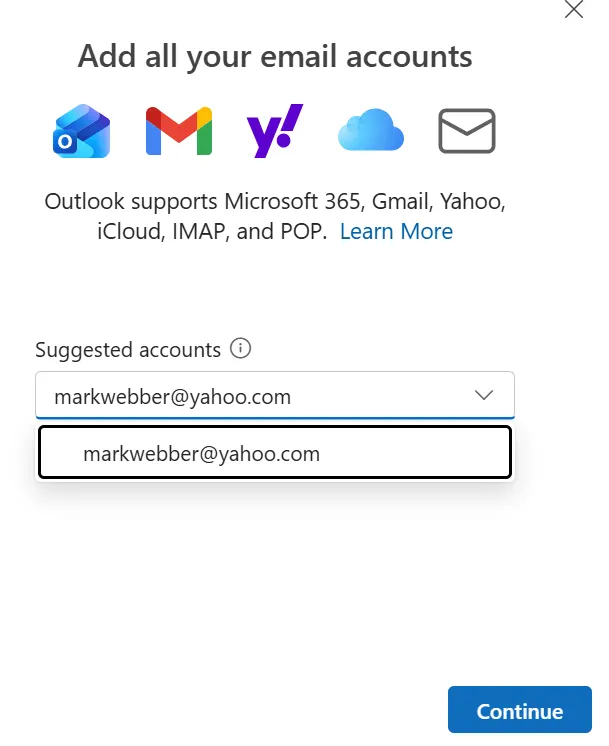
- To sign in, enter your Yahoo Mail ID and click on the ‘Continue’ option.
- Now select, Continue IMAP and click on the “Continue” option.
- So, to finish the file synchronization, click ‘Finish’.
Step 3: Import PST file to Yahoo Mail
Use a PST file to import emails into Yahoo Mail via Outlook’s email configuration add-email feature.
- Open Outlook.
- Click File > Open & Export > Import/Export option.
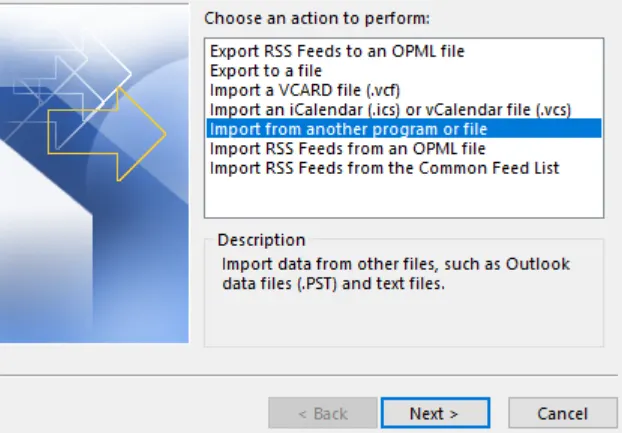
- Now select Import from another program or file.
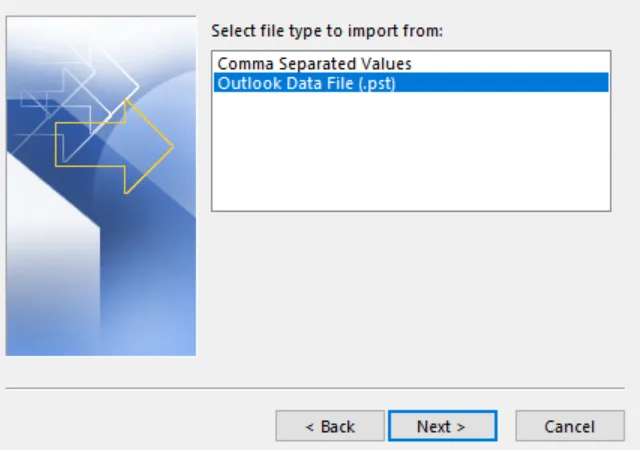
- Select the Outlook Data file (.pst) that you created in the previous step.
- Now the PST emails are visible in the Yahoo Mail account.
How to Import OST to Yahoo Mail Instantly?
BLR OST to PST Converter is a secure and efficient OST to PST converter software to open OST emails in Yahoo Mail account. With its simple and user-friendly interface, it is easy to complete the migration without any hassle. Even if your OST file is corrupted, damaged, or orphaned, OST recovery tool will import all the data without any hassle. Additionally, there is a date range filter, a delete duplicate emails feature, and many other important features.

Conclusion
Accessing OST emails in Yahoo Mail account is challenging, but with the right approach, you can perform the task easily. The manual method works fine if you have access to the original Outlook profile, but it is time-consuming, and the risk of data loss is always there. To import OST to Yahoo Mail account instantly, you can take the help of a professional OST to PST Converter.