BLR OST to PST Converter is an advanced and reliable solution that is designed for users who want to convert OST emails into PST format. The tool effortlessly handles large OST file and while converting it ensures complete preservation of mailbox integrity.
Whether the OST file is orphaned, inaccessible, or associated with an Exchange account, BLR OST to PST Converter delivers fast, accurate, and secure results, making it an ideal choice for hassle-free Outlook data management.
Additionally, using this tool, you can also convert OST emails to multiple file formats including PDF, CSV, EML, TXT, DOC, ICS, vCARD, MSG, and other formats. With this tool, you can also migrate OST file to Office 365, Gmail, Yahoo Mail, Exchange Server, and IMAP Servers.
OST to PST Converter provides easy conversion of OST to PST fluently with all Outlook and Windows systems.
Key Features:
- Supports orphaned and encrypted OST files
- Convert not accessible OST to PST, PDF, CVS, and all other formats
- Preserves folder and sub-folder structure and hierarchy
- Converts emails, attachments, contacts, and calendars
- Preview mailbox items before conversion
- Filter option to convert selective emails from a particular date range.
- Option to split large OST file into smaller PST files
- Compatible with all Outlook and Windows versions
Software Installation
-
Firstly, download the software on your Windows from the given link https://www.blrtools.com/ost-to-pst-converter.html
Or you can download using this link https://www.blrtools.com/dl/blr-ost-converter.exe
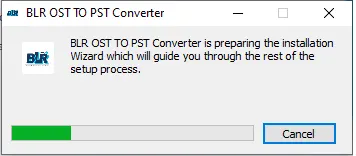
After that, follow the instructions given below:
-
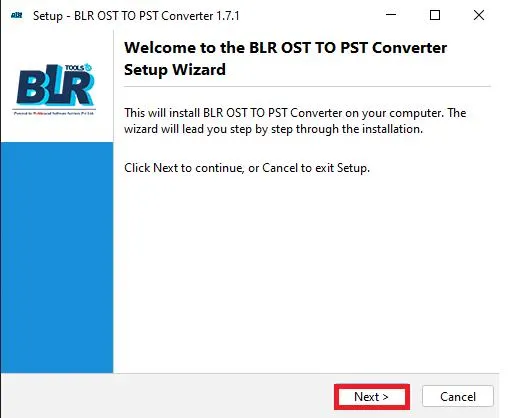
A welcome window will appear; click on continue to start the installation process.
-
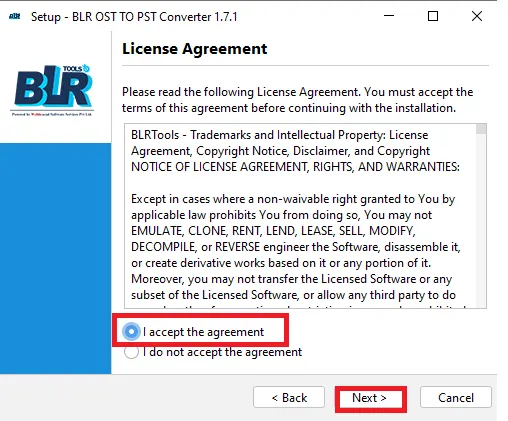
Then, choose "I accept the agreement" and click on the Next button.
-
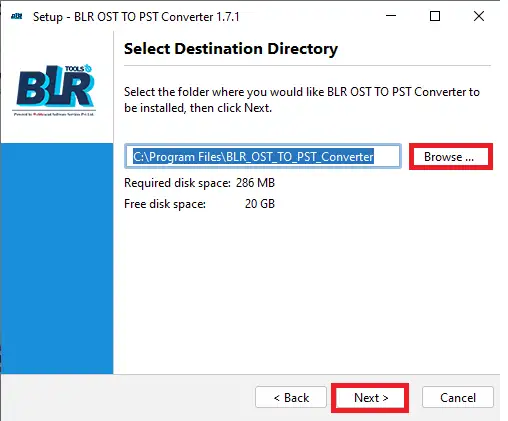
Next, choose the location where you want to install the software.
-
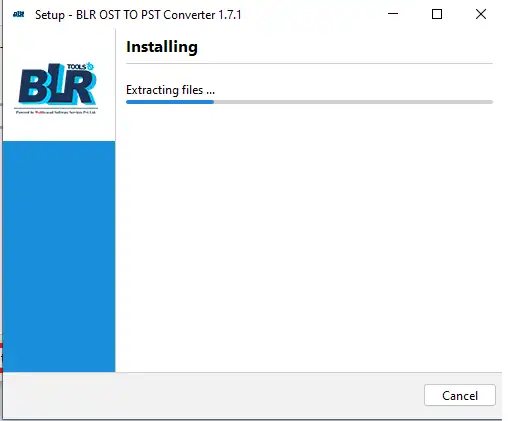
️After you click on the Next button, the software starts extracting the data.
-
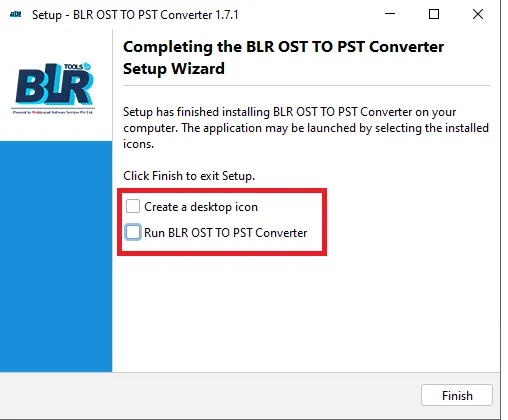
️In the new Window, you can choose any of the two options or both.
-
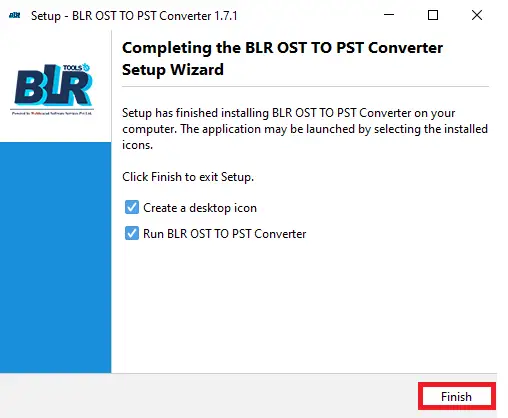
At the end, click on the Finish button to complete the software installation process. A shortcut will appear on your desktop. Click it and start using the software.
If you are still having any difficulties while installing the BLR OST to PST Converter, then feel free to contact our support team. We are here for your assistance, 24 X 7.
Software Uninstallation
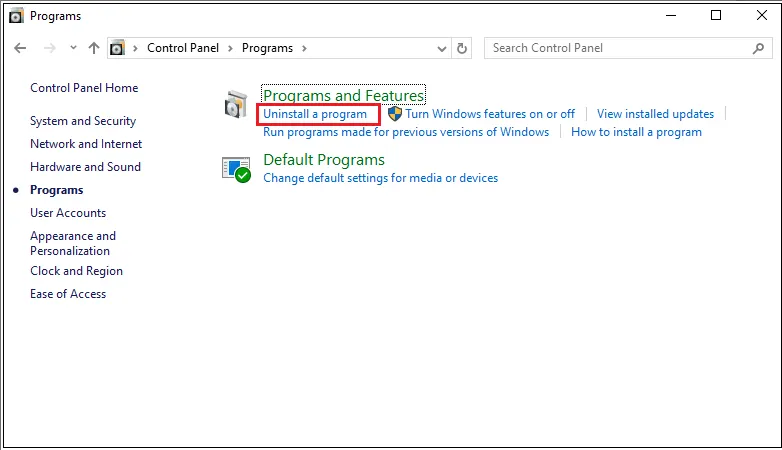
Here are the steps to uninstall the software from your system, after completing the task.
- Click on the Start button, then Control Panel.
- Find the BLR OST to PST Converter and right-click on it.
- Click on Yes to uninstall the software.
- The system will ask for your permission to uninstall the software. Accept it and complete the task.
System Specifications
To install and run the tool on your system, you need to meet some minimum software requirements.
- Processor: Intel 4.2 GHz or i3 6th Gen 2.4 GHz or higher recommended
- Memory: 4 GB recommended (2 GB minimum)
- Hard Disk: 500 MB for installation files
- Operating System: Windows 11, 10, 8.1, 8 and earlier versions
- Language Supported: English
Step-by-Step Guide to Use the Software
Here are the simple instructions to use the BLR OST to PST Converter for conversion.
-
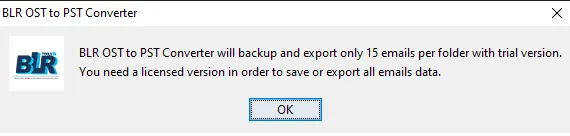
Open the OST Converter tool on your Windows.
-
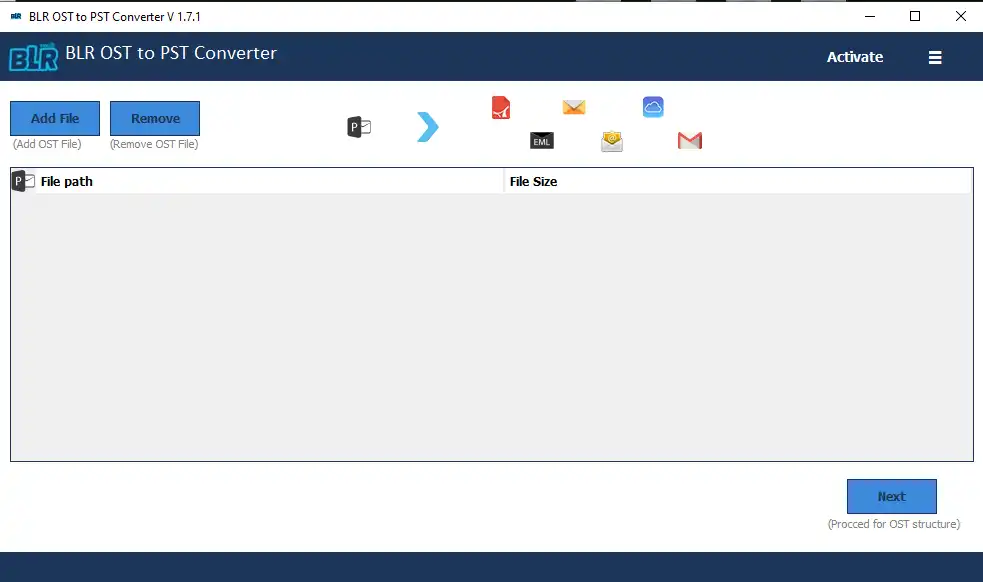
The software interface will be open, and you can start the actual process.
-
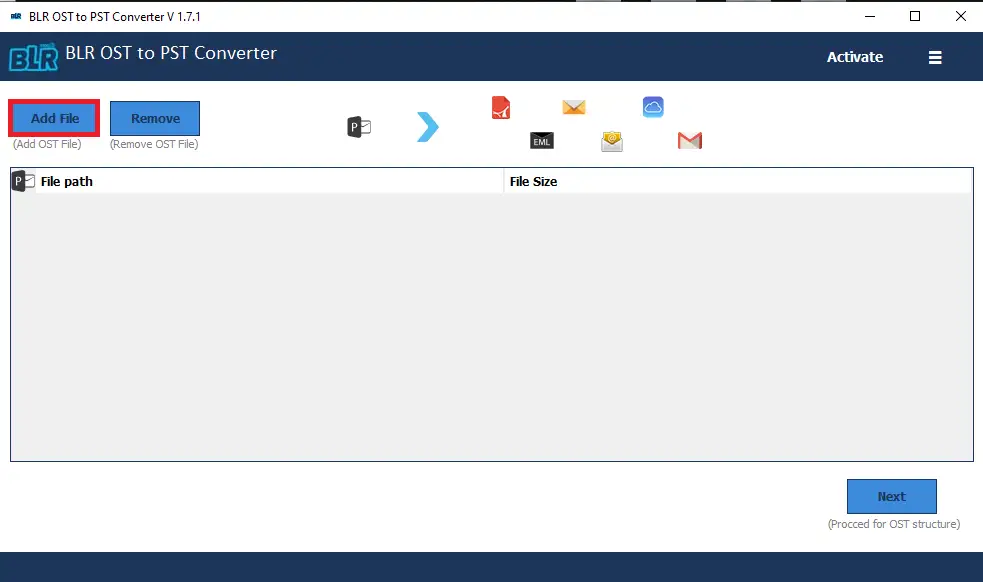
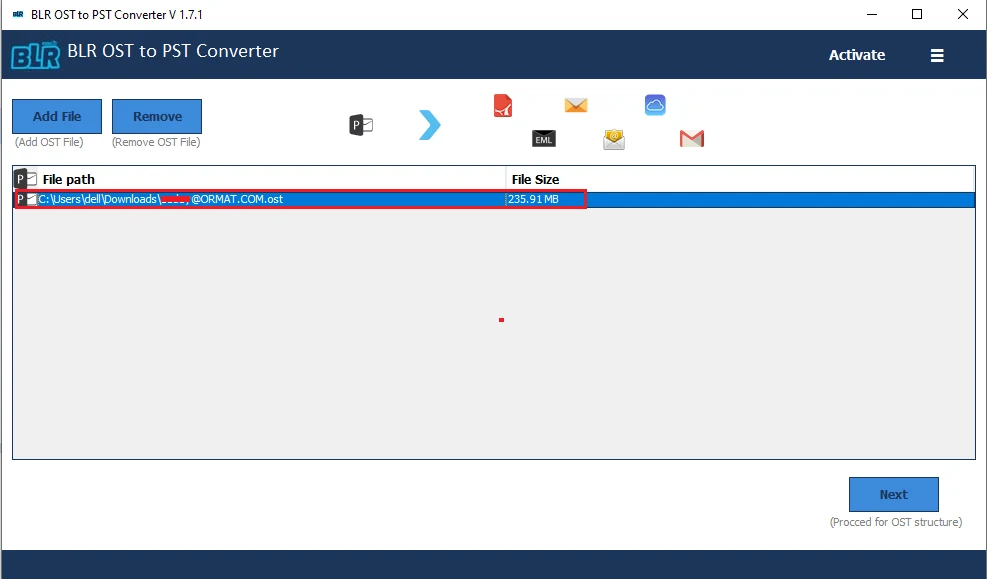
Click on the “Add File” to upload the OST file.
-
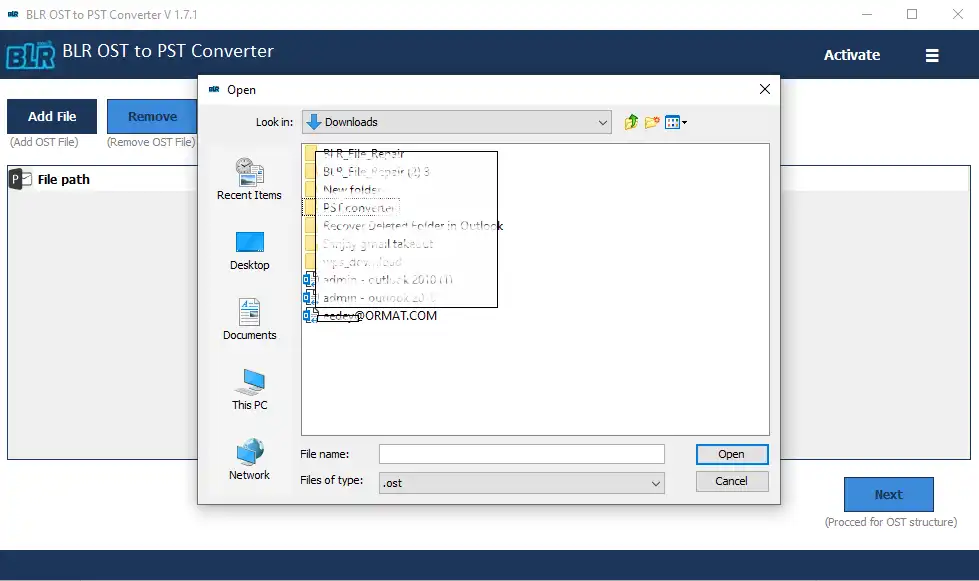
Browse the OST file on your system.
-
After adding the OST file, click on the Next button to start the process.
-
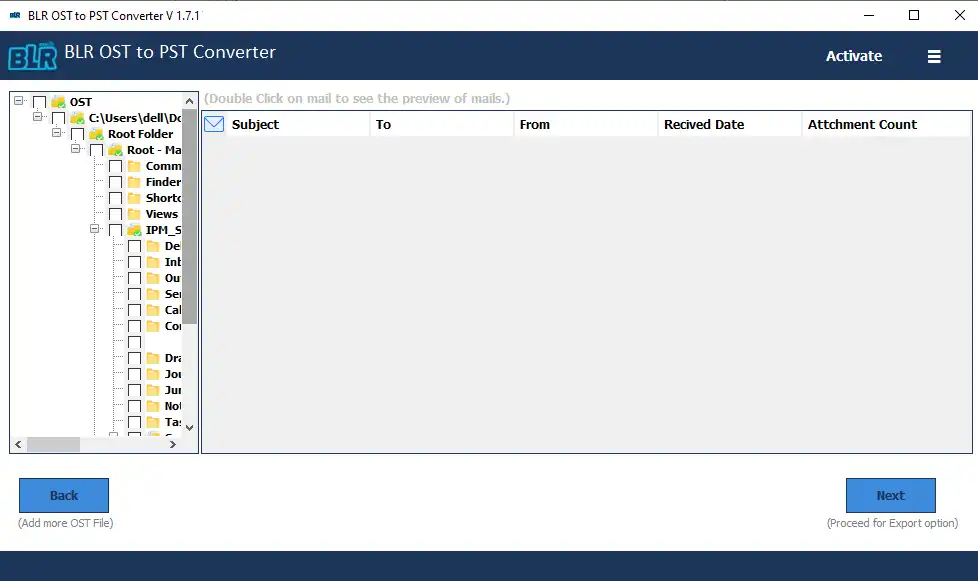
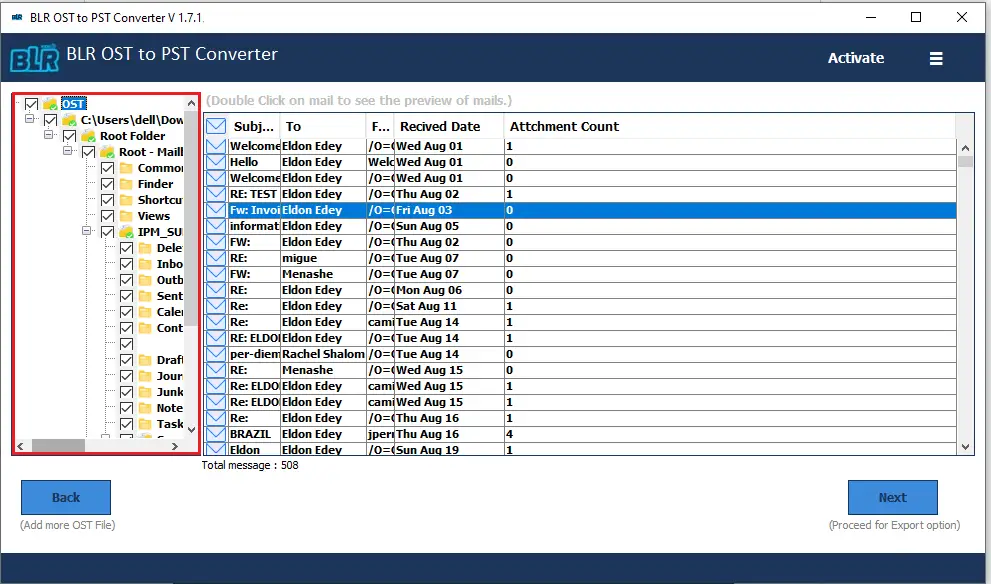
Here you will find the data from the OST file in a proper structure.
-
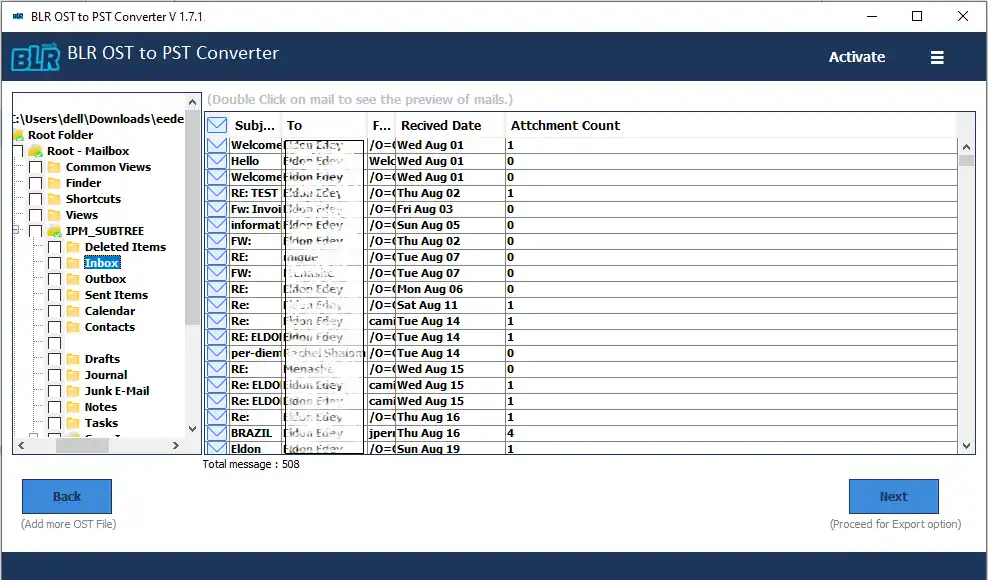
Double-click on any of the folders, and you can find all the emails present in the folder.
-
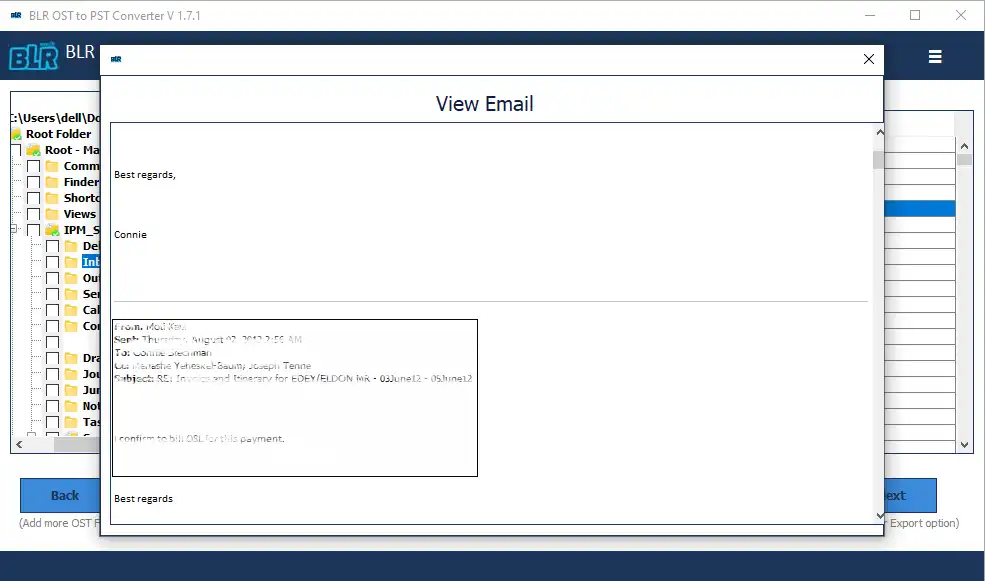
Now, to view your email, double-click on the email.
-
Now choose the email folders you want to convert.
-
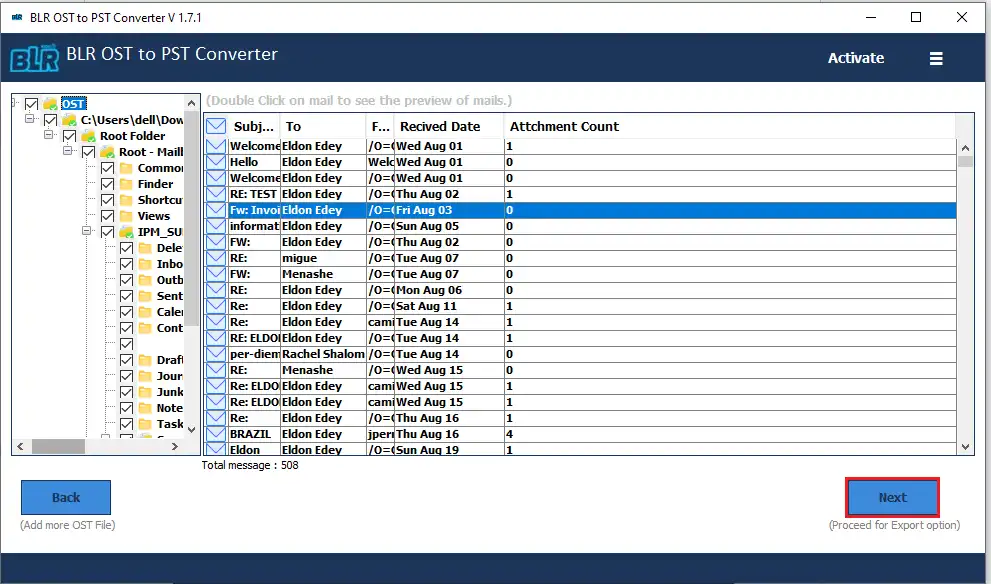
After that, click on the Next button to proceed with the conversion process.
-
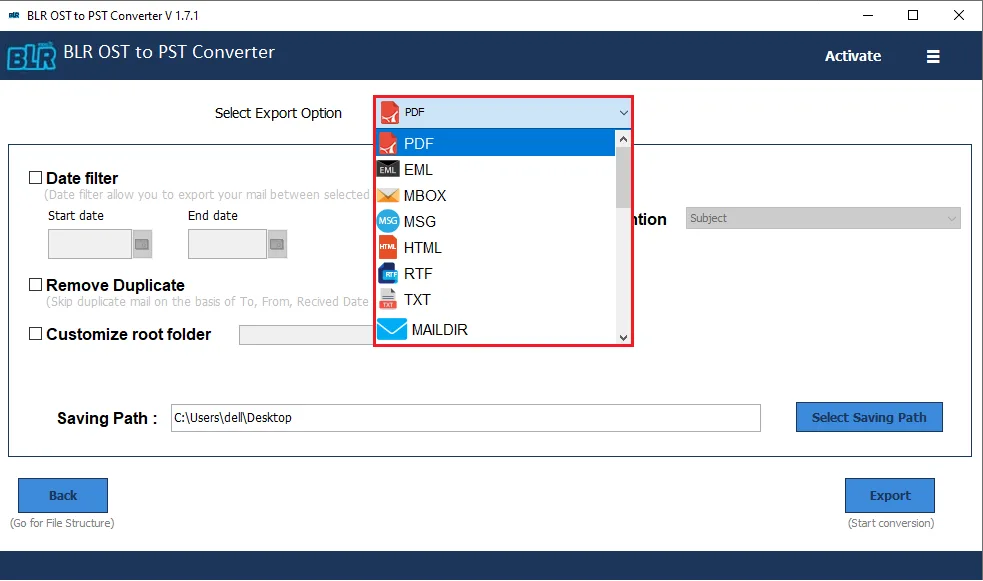
Now, there are multiple export options.
-
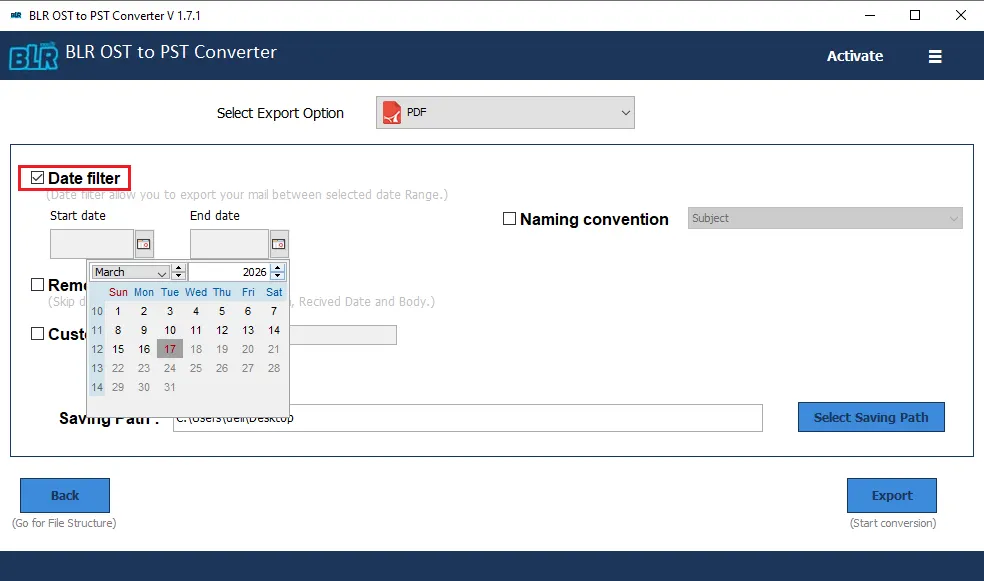
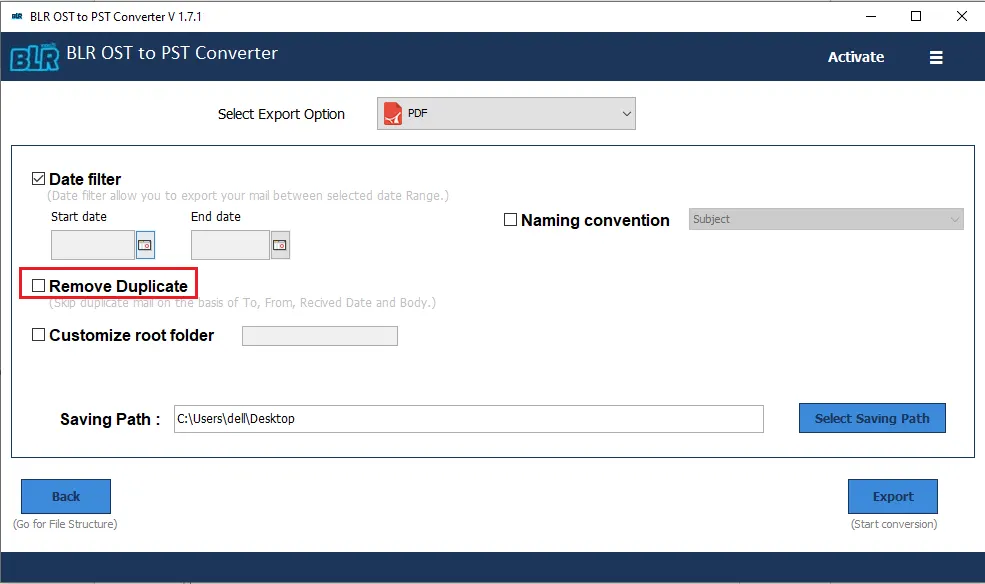
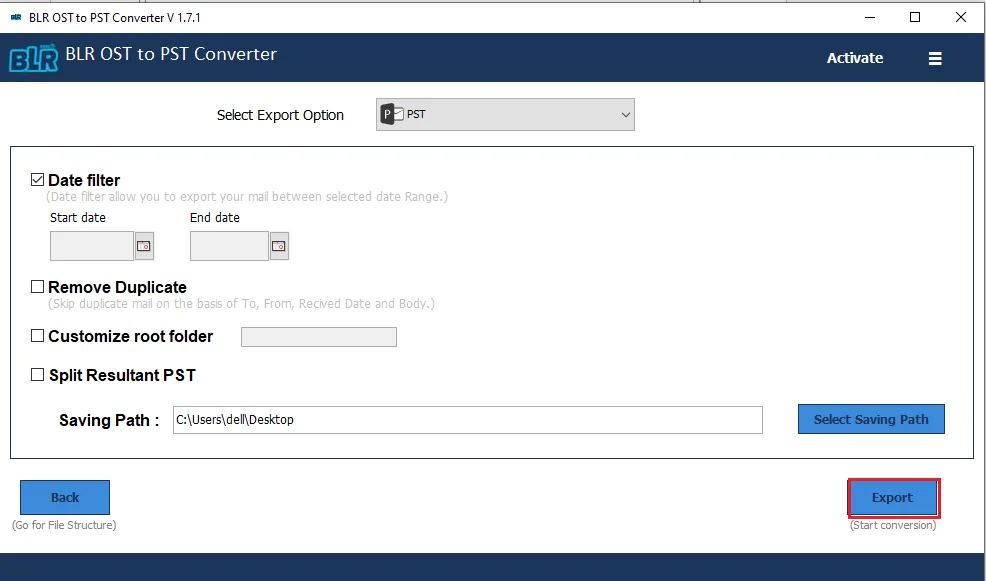
You can also apply the date range filter to convert emails from a specific date.
-
If you want to remove duplicate emails, then you can use this software feature.
-
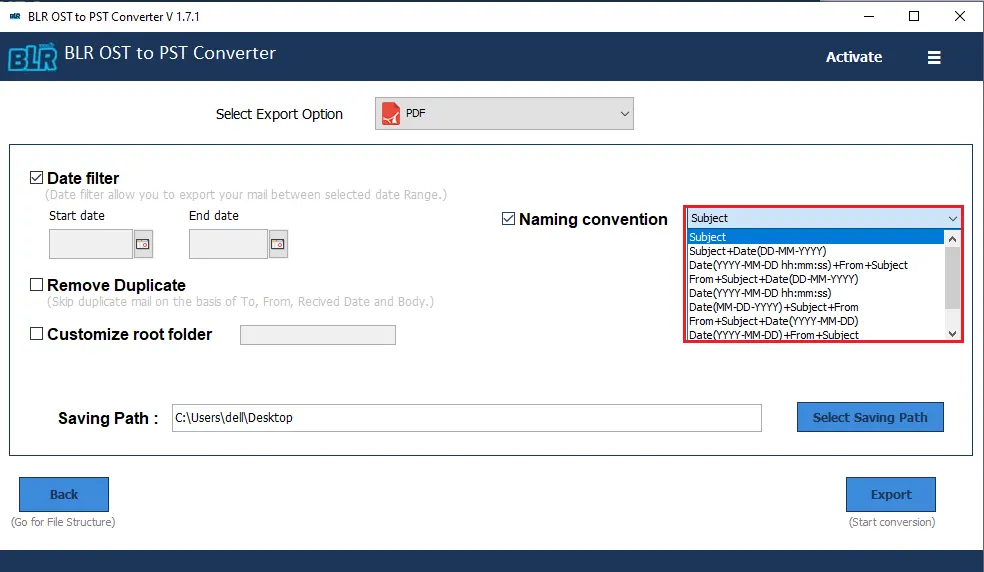
Choose the file naming options from the given list.
-
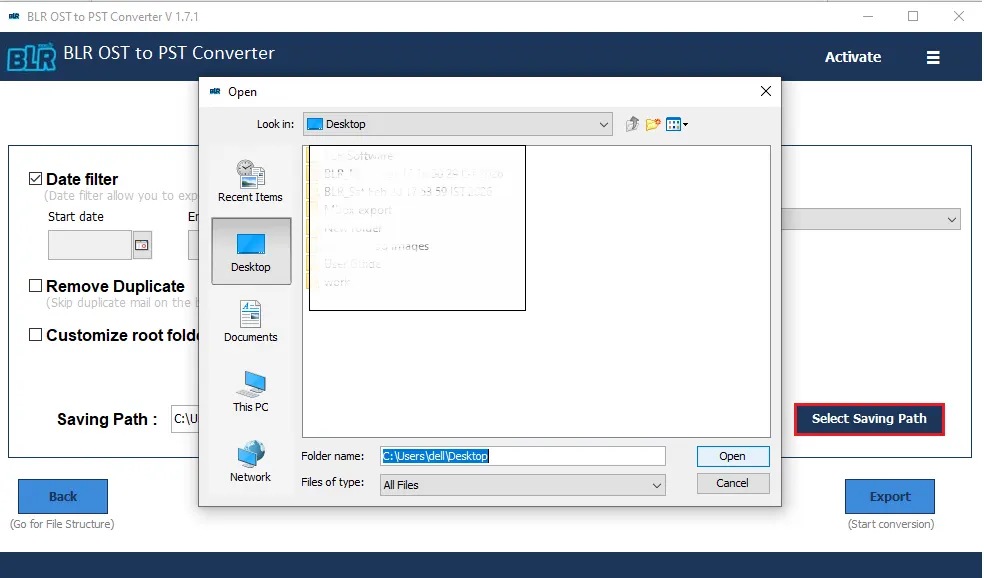
You can also choose the path to save the exported data file.
-
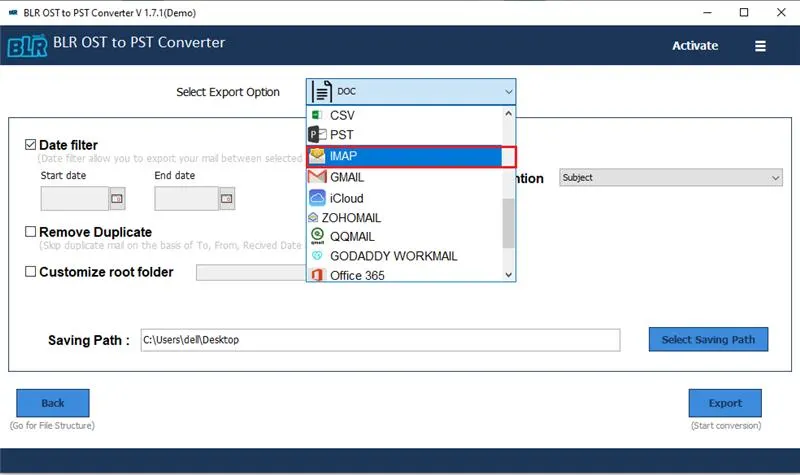
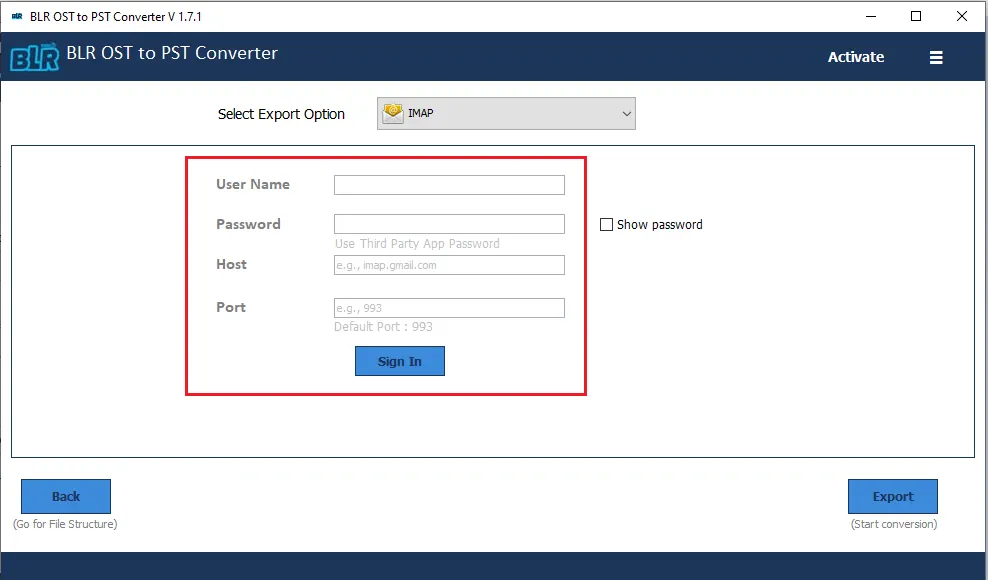
If you choose the IMAP Server or any other webmail account from the export options, then choose it here.
-
Now you need to enter login details of the corresponding email account. (Note: Use App password to login in).
-
At last, click on Exportto start the conversion process.
-
If you choose the PST file as an export option, then you can split PST file into smaller parts as well.
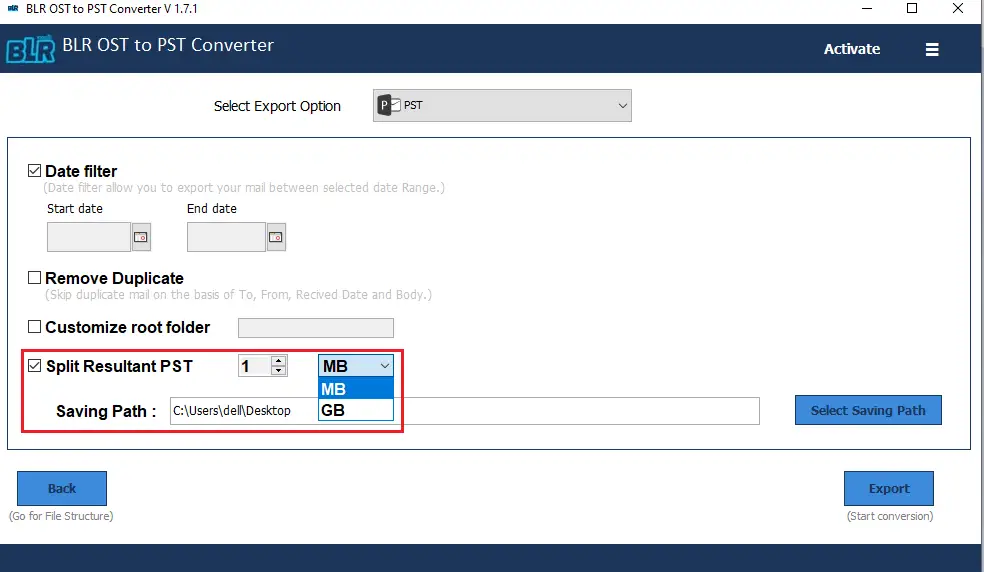
Here, complete the email conversion and migration process.
OST to PST Tool Working Video
Details regarding hardware and software compatibility go here.
FREQUENTLY ASKED QUESTION
Need Help? Find Answers Here
BLR OST to PST Converter is a professional tool designed to convert Outlook OST files to PST format, enabling you to access mailbox data easily in Microsoft Outlook without Exchange server connectivity.
This tool is useful for IT professionals, system admins, business users, and individuals who need to recover or migrate data from inaccessible or orphaned OST files.
You may need to convert an OST file when Outlook is not launching, Exchange server connectivity is lost, your Outlook profile is deleted, or your OST file becomes corrupted.
Yes. The software can directly read and convert OST files without requiring Outlook or Exchange server
Yes, the tool supports converting large OST file without affecting the data file content.
Yes, the converter ensures that emails, contacts, calendars, notes, journals, tasks, and attachments are recovered and exported accurately.
Yes. The tool preserves the original folder structure while converting OST to PST.
Yes. The converter can read and convert a corrupt OST file and extract data safely.
You can use this software to access your OST data without launching Outlook. Export the data to a new PST file, which you can then open in Outlook.
Avoid storing OST files in cloud sync folders, keep regular backups, and monitor PST/OST file sizes.