BLR PST Viewer Tool
Reliable tool to view PST emails, contacts, calendars, and more.
The secure and reliable PST file viewer tool to access emails and other data without using Outlook. Free PST Viewer allows you to read and analyze Outlook PST file data, including the complete folder hierarchy and structure.
- Read PST file data, including emails, contacts, etc.
- Easily open PST file with no file size limitations
- Fully compatible with Outlook 2021/2019 and all
- Read healthy as well as corrupted PST file
- Access/read PST emails with no need for Outlook
- Read/view emails from a password-protected PST file


Who Should Use It?
Best Scenario to Use BLR PST Viewer
No Outlook Installed
If Microsoft Outlook is not installed on your system and you need to open a PST file, this tool is the ideal solution. The PST File Viewer effortlessly previews PST emails and other mailbox data, allowing you to read all PST file contents without any Outlook dependency.
Corrupted PST File Access
You may have a PST file that cannot be accessed due to corruption, making it impossible to open in Outlook. In such cases, the free Outlook PST File Viewer allows you to read your emails by effortlessly accessing corrupted PST file and previewing its contents with ease.
Open Password-Protected PST
For security purposes, Outlook allows you to set a password when exporting a PST file. A password-protected PST file cannot be opened directly without appropriate access. BLR PST Viewer is an ideal solution to open and read PST file data smoothly without any glitches.
What Experts Say About
Free PST Viewer Tool
For users who urgently need quick access to PST files on the system in the absence of Outlook, this free PST Viewer provides an efficient and hassle-free solution. The software is easy to use and reliable to use.
The ability of this free Outlook PST Viewer to read PST emails, attachments, and maintain folder hierarchy without any Outlook dependency is impressive. It is a practical and reliable solution for analyzing both healthy and inaccessible PST files.
How to View PST File Using
BLR PST Viewer Tool
Step 1: Open the free PST Viewer tool on your Windows.
Step 2: Then, click on the “Add File” and browse the PST file.
Step 3: Now you can see the folder structure of your PST file.
Step 4: Click the folder from which you want to read emails.
Step 5: Now, double-click on the email, and read/view your email.
Step 6: Repeat the same process for all the emails or other data you want to read.
Key Features
BLR PST Viewer Benefits
View Outlook Data
This free PST file viewer allows you to view all Outlook data items, that includes emails, contacts, calendars, tasks, and notes. With this tool, you can open PST file without Outlook installed, making it an ideal solution for users who want to access their mailbox data quickly.
Access Corrupted PST
Corrupted or damaged PST files lead to Outlook not opening error. In that case, you can’t open PST emails, contacts, and calendar items. BLR PST Viewer ensures you can read, analyze, and manage Outlook data even when standard methods fail.
Open Archive PST
This free Outlook PST Viewer fully supports opening archive PST files, allowing you to read older or archived mailbox data without using Outlook. This tool accesses and analyzes archive PST files, allowing users to securely, accurately, and efficiently view their PST emails.
Preview All Items
Users can view emails, attachments, contacts, calendars, tasks, and notes in their original format. This PST file Viewer tool displays complete email headers, sender/recipient information, subject, body content, and embedded attachments so that users can read data easily.
Unlimited File Size
With BLR PST Viewer, there is no file size limitation on the PST file. You can open and read small, medium, or large PST file without performance issues. This free PST file viewer supports unlimited PST sizes, providing smooth access to all emails, contacts, and mailbox items.
All Outlook Versions Supported
This Outlook PST File Viewer is compatible with PST file created by Outlook 2010, 2013, 2016, 2019, and Office 365. This ensures users can open PST files created in any version of Microsoft Outlook without compatibility issues.
Minimum System Requirements
Requirements to Install BLR PST Viewer Tool
 About Product
 System Requirement
 Documents
About Product
Documents
About Product
BLR PST Viewer
| Version: | 1.7.1 |
| Language Supported: | English |
| Release Date: | Dec, 2025 |
System Requirement
System Requirement
| Processor: | Intel 4.2 GHz or i3 6th Gen 2.4 GHz or higher recommended |
| Memory: | 4 GB recommended (2 GB minimum) |
| Hard Disk: | 500 MB for installation files |
| Operating System: | Windows 11, 10, 8.1, 8 and earlier versions |
Documents
 Installation / Uninstallation
 User Manual
 Knowledge Base
Software Feature Comparison
BLR PST Viewer vs Paid Tools
| Software Features | Free PST Viewer | PST Viewer Pro |
|---|---|---|
| View PST Emails | ✔ | ✔ |
| Open Archive PST Files | ✔ | ✔ |
| Preview Emails with Attachments | ✔ | ✔ |
| Support for Large PST File | ✔ | ✔ |
| Attachments Handling | ✔ | ✔ |
| Split Outlook Data File | ❌ | ✔ |
| Repair & Convert PST to MBOX, PDF, Other Formats | ❌ | ✔ |
| Migrate PST to Webmail Accounts | ❌ | ✔ |
| Free Download | Upgrade Now
|
FREQUENTLY ASKED QUESTION
Answers to Your Questions
Yes, with the help of the PST file viewer tool, you can easily view or read PST file data without Outlook installation.
Yes, the BLR PST Viewer tool supports damaged, inaccessible, or corrupted PST file.
Yes, if your PST file is password-protected, this fee PST viewer tool will effortlessly read your PST file data.
No, your PST file data will not be modified when you use this free Outlook PST Viewer tool.
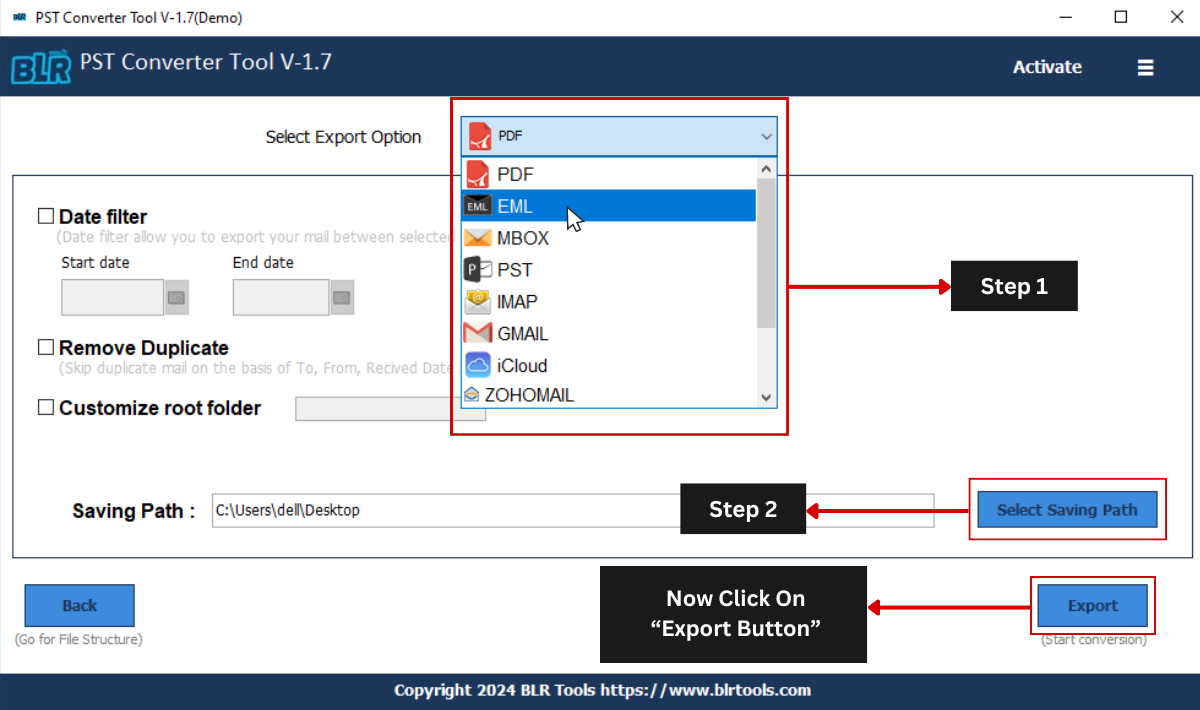
No, you can only view your PST file emails using this tool. If you want to save your PST file data, then you need to use their converter tool.
Customer Experiences with
BLR PST Viewer Tool
Daniel Brown
03.02.2026
The PST Viewer is a simple and effective tool for opening and reading PST files without Outlook. From my personal experience, it loaded mailbox data quickly and displayed emails, attachments, and folder structure accurately. It’s a handy solution for safely viewing PST files without any complications.
James Wilson
31.12.2025
Free PST Viewer helped me open multiple PST file on my system where Outlook wasn’t installed. The interface is simple, and email previews load quickly without any hassle.